Interface
Designed for focus and speed
A clean, uncluttered screen that puts your writing front and center.
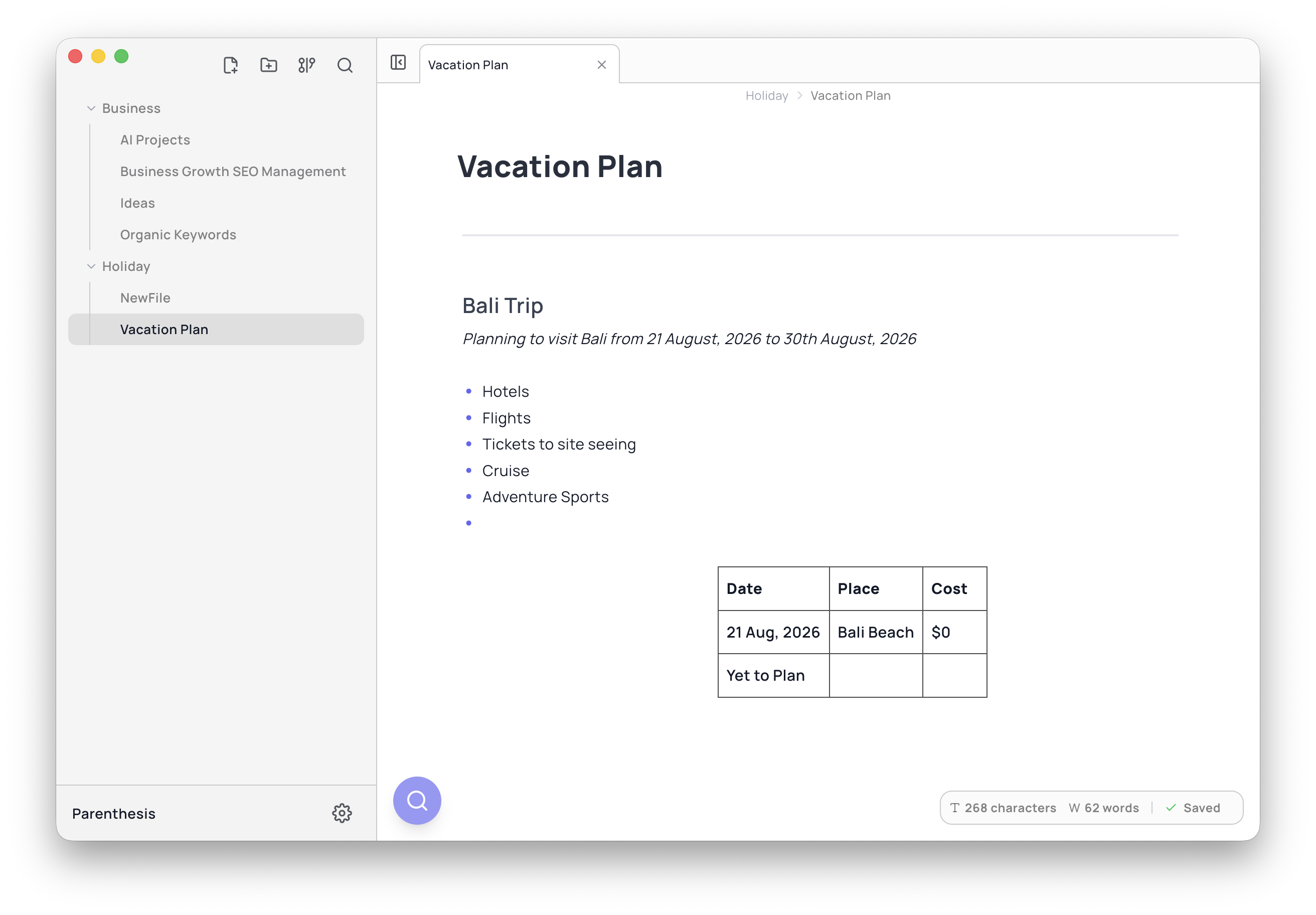
Write on the left, see it formatted on the right
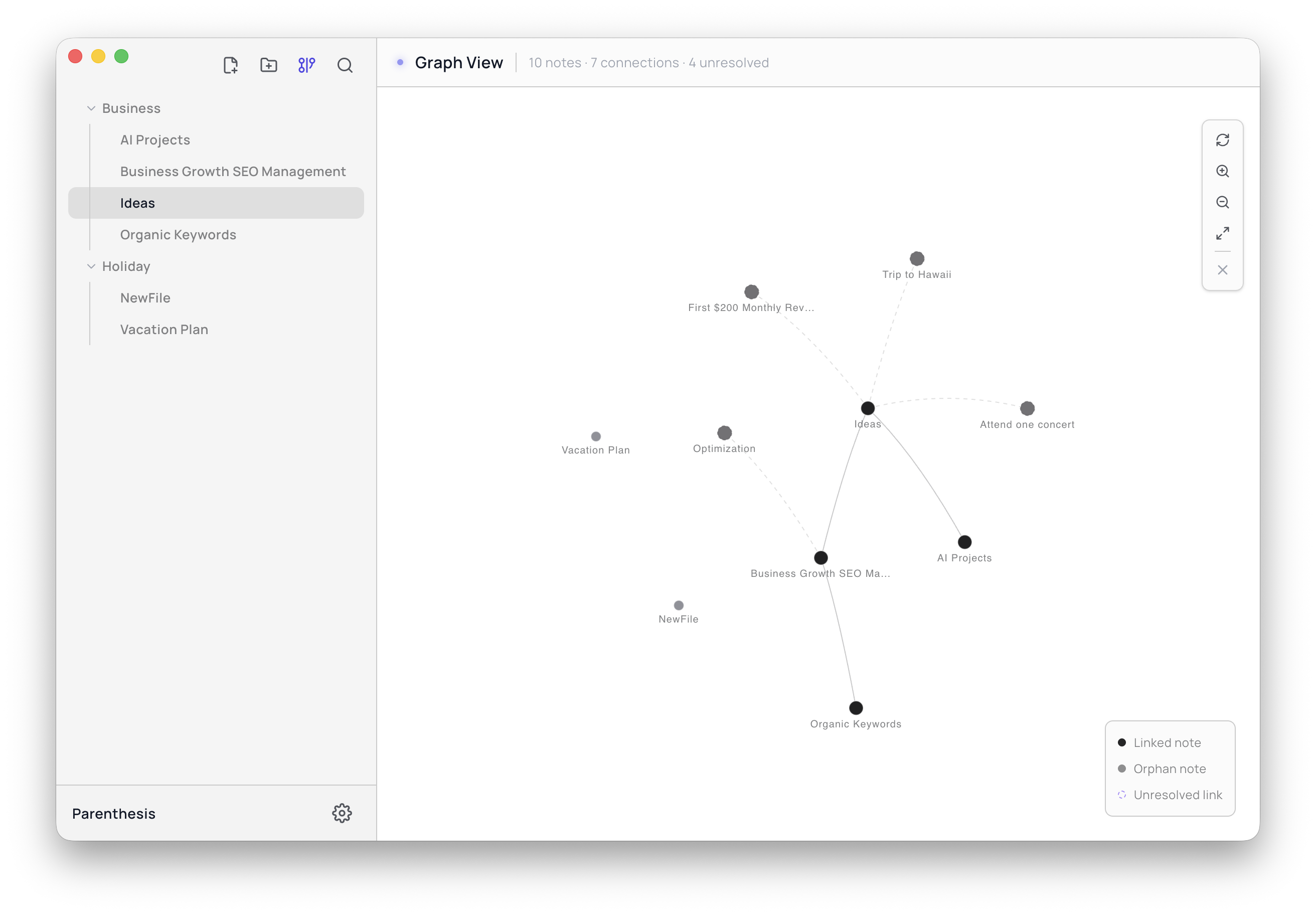
Your notes, mapped out visually
Parenthesis is a note-taking app that stays out of your way. Write in simple, plain-text formatting, turn it into tables and a visual map of your ideas, and add AI only when you want it — using your own key. Your notes live in a folder on your computer, not ours.
Local-first apps retain user trust through data ownership.
| Metric | Value |
|---|---|
| Users | 2,400 |
| NPS | 78 |
A clean, uncluttered screen that puts your writing front and center.
We cut out anything that gets in the way, so what's left is a fast, focused space for writing and thinking.
Type using plain markdown formatting and watch it turn into a nicely formatted page right beside it, as you type. Since every note is just a text file, you can open it in any other app too.
See how your notes link up to each other in a visual map. Spot patterns, follow a thread between ideas, and explore your thinking the way it actually branches.
Type a simple table using markdown and watch it turn into a clean, styled table. Sort it, resize the columns, or export it — no separate spreadsheet app needed.
Pick any folder on your computer, and Parenthesis works directly with the .md files already inside it. Nothing syncs to a server, and it plays nicely with Git.
Search across every note at once. Even with thousands of notes, you'll find the right one in a second.
Turn any note into a PDF, a webpage, or a plain markdown file whenever you need to share it. Nothing is ever locked in a format only Parenthesis can open.
Press ⌘K to do almost anything without touching your mouse — start a new note, jump to a file, ask the AI a question, or switch themes.
Parenthesis works with four leading AI models. Add your own API key, and you can chat with your notes, get quick summaries, and turn messy text into tables — all without your notes ever passing through our servers.
Every note is a plain text file. Open it in any other app, track changes with Git, or send it to anyone — no exporting required.
Your notes live on your own computer. There's no account to create, and no subscription just to read your own writing.
When you use an AI feature, the request goes straight from your computer to the AI provider you picked. We never see what's in your notes.
No clutter, no dashboards, no streaks to keep up. Just a fast editor that stays out of your way so you can think.
We'd love to hear from you. Drop us a note anytime.
neat.triad-7g@icloud.comPay once. No subscription, no account. Just open a folder on your Mac and start writing.
macOS 13 Ventura or later · Apple Silicon & Intel · First time opening it? See the install guide ↓
Here's exactly why that warning shows up, and how to get past it in under a minute.
Parenthesis is built by one independent developer, not a company — and Apple charges $99 every year just for the certificate that stops this warning from appearing. We haven't paid for that yet, so the first time you open Parenthesis, macOS will call it "damaged" or say it's from an "unidentified developer."
Nothing is actually wrong with the app. This is macOS Gatekeeper — the same warning you'd see on any app that hasn't gone through Apple's paid review, even a perfectly safe one. Pick whichever option below feels easiest.
Still stuck, or something looks off? Email us and we'll walk you through it.